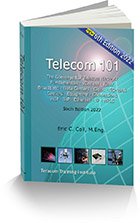
Go to Teracom home page List of all courses and scheduled public seminars detailed info on self-paced DVD and video courses info on bringing any Teracom seminar to your location for a private team training session online and downloadable telecommunications training No bookshelf is complete without our Telecom 101 reference handbook Free online tutorials (graphic/text and VideoTutorials), plus knowledge evaluation quizzes, archived newsletter articles and more!
Teracom logo
COMPUTER-BASED TRAINING (CBT)
TELECOM, DATACOM, NETWORKING
IP, VOIP, WIRELESS
     
site map
 QUICK LINKS
Order CBT on DVD
CBT on DVD price list
CPE credits
DVD home page
Instructor-led courses
Telecom 101 book
Bring any course to you
Free tutorials
Previews
Free newsletter
Member specials
 TERACOM
Value pricing comparison
Why take our courses
Who will benefit
Read the reviews
Instructors
About Teracom
About myTeracom
Site map
Contact us
 
Cost comparison with our competitors.  You may be surprised to find that our main competitors are 80% more expensive than Teracom (!)

Computer-Based Training (CBT) by Teracom

Computer-Based Training available:
- Fundamentals of Telecommunications
- Fundamentals of Datacom and Networking
- OSI Layers, Bandwidth-on-Demand, MPLS
- Internet and IP Security
- Cellular, 3G and the Wireless Web
- Voice over IP (VoIP)
High-quality multimedia courses.
Delivery on DVD or online streaming.
 

Benefit from the advantages of Computer-Based Training (CBT)
- self-paced training
- scalable to large numbers of people
- ease of distribution and management
- consistency of content and delivery
- pre- and post- testing and certification available

Teracom computer-based training is multimedia: cinema-quality video, graphics and text.
Students benefit from an engaging, knowledgeable and humorous on-camera instructor, extensive graphics, point-by-point onscreen bullets and extensive notes.  The instructor, graphics and bullets are zoomed in and out as best fits the discussion taking place.  
Every course comes with a comprehensive workbook with copies of all graphics and detailed reference notes, sure to be a valuable reference for years to come. 
Teracom multimedia CBT can be delivered in two ways:
1. 
Distribution on DVD.  This is the normal choice for training of individuals and department-sized groups. Each DVD contains 10 to 15 lessons, organized into chapters and titles.  One printed and bound student manual is supplied with each order; additional student manuals can be purchased. The CBT media format is MPEG-2 video and can play on any laptop or PC with a DVD drive and DVD player software. 
2. 
Streaming from a server. This is the choice for an organization that wishes to purchase a site license allowing all of their employees to access the CBT online. The lessons are organized into modules, and accessed by clicking on hyperlinks. The CBT media format is Windows Media Video, either standard or High Definition, and can play on any PC, MAC or unix machine that has Windows Media Player 10. The student manuals can be printed and bound, or provided electronically as a PDF. 
Pricing
Distribution on DVD (recommended choice): price list
Site license, streaming from a server: pricing is based on the number of students.
Minimum charge is for 50 students. Please contact us for a quote.  
Previews
Free previews of lessons are provided, in the "streaming from a server" format.
You will need Windows Media Player 10 and a broadband connection to watch them.
If you have any problems or need instructions, sign in to your myTeracom account, and click on the DVD-video previews link in the Free Previews section of your myTeracom home page.  
If you don't have a myTeracom account, it's fast and easy to sign up.
Lesson Plan / Content Outline
The CBT lessons are grouped into chapters and titles, much like our instructor-led training.
Each lesson lasts five to ten minutes (some are shorter and longer), and consists of a multimedia video onscreen segment, detailed text notes and a copy of the graphics and bullets.
In the case of distribution on DVD (recommended choice), the titles below correspond to DVD discs and student manuals. For example, Fundamentals of Telecom 1 is distributed on one disc and the student manual is one bound book.   price list   full brochure   order
Fundamentals of Telecom 1  free preview
Fundamentals of Telephony
  1.03 The Public Switched Telephone Network (PSTN)
1.05 Analog Circuits
1.07 What is Sound?
1.09 The Voiceband
1.11 Plain Ordinary Telephone Service (POTS)
1.13 DTMF Address Signaling
1.15 Signaling System 7 (SS7)
Telecom Equipment
  2.03 Telephone Switches
2.05 PBX vs. Centrex
2.07 Voice VPNs
2.09 Call Centers
The Telecommunications Industry
  3.03 US Domestic Telcos
3.05 AT&T and Verizon
3.07 Canadian Telephone Companies
3.09 PSTN Switching Centers Before Competition
3.11 Accessing The Interexchange Carriers
3.13 Competitive Local Exchange Carriers (CLECs)
Fundamentals of Telecom 2  free preview
Digital Communications
  1.03 Why Digital?
1.05 Analog and Digital: What Do We Really Mean?
1.07 Continuous Signals, Discrete Signals
1.09 Voice Digitization (Analog → Digital Conversion)
1.11 Voice Reconstruction (Digital → Analog Conversion)
1.13 Voice Digitization Summary
1.15 The Digital Hierarchy: Industry Standard Line Speeds
1.17 Popular Technologies: Digital Carrier Systems
1.19 ISDN BRI and PRI
1.21 Digital Circuit Voice Applications
1.23 Digital Circuit Data Applications
1.25 Digital Video
1.27 Integration: Voice, Video, Data
Transmission Systems
  2.03 Time Division Multiplexing
2.05 T1 Carrier System
2.07 T1 Basics: Multiplexers
2.09 Framing and Channels
2.11 Pulses and Repeaters
2.13 How T1 is Provided
2.15 Fibers and Cables
2.17 SONET and DWDM: Core Networks
2.19 International Digital Hierarchies
Fundamentals of Datacom and Networking  free preview
Introduction to Data Communications and Networking
  1.03 Data Circuit Model
1.05 Data Terminal Equipment (DTE)
1.07 Analog and Digital Data Circuits
1.09 Data Circuit Terminating Equipment (DCE)
1.11 Configuration Example: Point-to-Point
1.13 Multidrop Circuits
1.15 LANs
1.17 Wide Area Networks
How Data is Formatted for Transmission
  2.03 Data Communications Basics: Bits and Bytes
2.05 ASCII Code Set
2.07 “Asynchronous”
2.09 Frames
2.11 Details for Reference: Cyclic Redundancy Check
2.13 Packets
2.15 Packets vs. Frames
2.17 IP Packets
The Network "Cloud": How Data Circuits are Actually Provisioned
  3.03 Anatomy of a Digital Circuit
3.05 Common Carriers’ Transmission Networks
3.07 Network Equipment: How and Where Each is Used
Understanding Networking 1  free preview
Protocol Stacks and the OSI 7-Layer Reference Model
  1.03 Protocols and Standards
1.05 ISO OSI Reference Model
1.07 OSI 7-Layer Model
1.09 Protocol Stacks
1.11 Protocol Stack in Operation
IP
  2.03 IP Address Classes
2.05 Dynamic IP Addresses
2.07 IP Addresses for Private Networks
2.09 Network Address Translation
WANs - Bandwidth On Demand: Packet Network Services
  3.03 Statistical TDM
3.05 Bandwidth On Demand Service Concepts
3.07 Virtual Circuit Technologies
3.09 X.25 and Jargon
3.11 Frame Relay
3.13 TCP/IP over Frame Relay
3.15 Frame Relay Performance: CIR and BIR
3.17 ATM: Capacity Management
3.19 MPLS
3.21 TCP/IP Over MPLS
Understanding Networking 2  free preview
Understanding The Internet
  1.03 Internet History
1.05 Internet Basics
1.07 TCP and UDP
1.09 Internet Service Provides
1.11 Commonly Used Internet Protocols
1.13 Domain Name System
1.15 MIME and Base-64 Encoding
1.17 World Wide Web
1.19 HTML, HTTP and HTTPS
1.21 Accessing the Internet: Home Connections
1.23 Accessing the Internet: Organization Connections
IP Security
  2.03 Risk, Measures and Policy
2.05 Viruses
2.07 Trojan Horses, Denial of Service Attacks, Spyware and Exploits
2.09 Network Segmentation and Perimeters
2.11 Packet Filtering
2.13 Firewall Proxies
2.15 Stateful Packet Inspection
2.17 Encryption
2.19 Authentication
2.21 IPsec
2.23 Customer-Premise-Based VPN
2.25 Carrier VPNs
Understanding Wireless 1  free preview
General Principles
  1.03 Wireless
1.05 Analog Radio
1.07 Digital Radio: Keying
1.09 Limitations and Impairments
Cellular
  2.03 Mobile Communications
2.05 Cellular Standards
2.07 2G, 2.5G, 3G Migration
2.09 Cellular Principles
2.11 1G: Analog
2.13 2G: Digital
2.15 Digital Cellular: Voice
2.17 2G: TDMA (IS-136)
2.19 2G: GSM
2.21 GSM System Architecture
2.23 2G: CDMA (IS-95, cdmaOne)
2.25 CDMA: Coding
2.27 CDMA: Spread Spectrum
2.29 CDMA Particularities
2.31 CDMA System Architecture
3G and Data over Cellular
  3.03 Modems over 1G
3.05 CDPD: Packets over 1G
3.07 Data over 2G Cellular
3.09 Data over TDMA/GSM
3.11 GPRS: 2.5G
3.13 Data over CDMA
3.15 3G
3.17 IMT-MC: cdma2000
3.19 1X, 3X and 1xEV-DO
3.21 IMT-DS: Wideband CDMA
3.23 Throughput Comparisons
3.25 Service Providers
Applications and Delivery
  4.03 SMS and i-mode
4.05 Wireless E-mail
4.07 Device Evolution
4.09 Delivering Web Content
4.11 WAP
4.13 XML
   
Understanding Voice over IP 1  free preview
Components · Standards · Architectures
Produced 2007. 134 min. DVD-R NTSC format. 60-page 8.5" x 11" softcover bound workbook.
We'll get started with a big-picture view of a VoIP system, identifying and explaining key VoIP components, jargon and buzzwords, plus the main standards and protocols. Then we'll review one by one the many flavors of VoIP, comparing and contrasting the various implementation and architecture choices. Progressing through Internet telephony, Managed IP Telephony, PBX replacement with distributed call manager systems and IP Centrex / Hosted PBX, you'll gain the knowledge to confidently differentiate VoIP architectures and discuss pros and cons of options.
Chapter 1   VoIP Systems, Components, Standards, Jargon and Buzzwords
  1.03 The Big Picture
1.05 Terminals
1.07 Voice in IP Packets
1.09 Soft Switches / SIP Servers / Call Managers
1.11 Media Servers
1.13 Gateways
1.15 LANs and WANs
1.17 Key VoIP Standards
1.19 Where All of This is Headed: Broadband IP Dial Tone

Chapter 2   VoIP Architectures and Implementation Choices
  2.03 Computer-Computer VoIP over the Internet
2.05 Skype and IM
2.07 Computer to Phone e.g. SkypeOut (DS0 Interconnect to LEC)
2.09 Phone to Phone over the Internet e.g. Vonage
2.11 Managed IP Telephone Service (MIPT)
2.13 IXCs and IP-based Backbones
2.15 VoIP for Businesses and Organizations
2.17 VoIP-Enabled PBX and Migration Options
2.19 PBX Replacement
2.21 Hosted PBXs
2.23 IP Centrex
2.25 Asterisk and Open-Source IP-PBX Software
2.27 SO/HO IP Phone Features and Uses
Understanding Voice over IP 2  free preview
Voice Packetization · Voice Quality · Codecs, Jitter and Packet Loss · Network QoS with MPLS
Produced 2007. Approx. 120 min. DVD-R NTSC format. 50-page 8.5" x 11" softcover bound workbook.
The next video course drills into VoIP technology, enough to understand the fundamentals, fill in gaps in your knowledge and explain jargon and mainstream practices without bogging down on details. You'll understand what exactly packetized voice is, how it happens and the standards and protocols used. You'll learn about codecs and compression, and understand factors like delay, jitter and packet loss and how they affect sound quality. Then we'll examine carriers' IP network technologies and the important topic of Service Level Agreements and the use of MPLS to implement Differentiated Services for Quality of Service (QoS).
Chapter 1  Voice Packetization, Codecs and Voice Quality
  1.03 Voice Packetization
1.05 Measuring Voice Quality
1.07 Factors Affecting Voice Quality
1.09 Codecs: Voice Coding and Compression
1.11 Delay
1.13 Jitter
1.15 RTP
1.17 Protocol Stack: RTP, UDP, IP, MAC
1.19 Packet Loss
1.21 Tips for Maximizing Voice Quality
Chapter 2   QoS: Quality of Service in the IP World
  2.03 Virtual Circuit Technologies
2.05 MPLS
2.07 Differentiated Services (Diff-Serv)
2.09 Meters, Markers, Shapers and Droppers
2.11 Interworking Diff-Serv and MPLS
2.13 802.1P
2.15 Implementing QoS: Queuing Techniques
Understanding Voice over IP 3  free preview
SIP · IP Call Flow · Carrier Interconnect
Produced 2007. Approx. 120 min. DVD-R NTSC format. 50-page 8.5" x 11" softcover bound workbook.
In this course, you'll understand what SIP is, how it works, demystify jargon like proxy server and location server, understand how SIP fits in with softswitches and call managers, and trace the establishment of an IP phone call step by step. We'll review examples and applications showing how service and productivity can be radically improved through SIP and converged networks, and complete the discussion with selecting and connecting to VoIP carriers.
Chapter 1   SIP and Call Flow in the IP World
  1.03 What SIP Is and What It Can Do
1.05 Relationship to Other Protocols
1.07 SIP URIs: “Telephone Numbers”
1.09 Registration and Location
1.11 Outbound Proxy
1.13 Finding the Far End
1.15 The SIP Trapezoid
1.17 SIP Message Example
1.19 How SIP Relates to Softswitches and Call Managers
1.21 SDP: Session Description Protocol
1.23 SIP Glossary
Chapter 2   Carrier Interconnect
  2.03 DS0 Interconnect to the LEC
2.05 IP Interconnect to the LEC
2.07 Session Border Controllers
2.09 Megaco (H.248/RFC2885)
2.11 DS0 Interconnect with the Telephone Network
2.13 Co-Existence with a Legacy PBX
2.15 Integrating Integrated Messaging
 
Certification is included
Each course has an online knowledge evaluation test. Successful completion of the test results in certification of the student, who receives a certificate suitable for framing.
CUSTOMER REVIEW
by Nathan Hunt
Dallas, GA
May 2006
Any kudos you’d like to share with / say to other Teracom customers?
Worth every nanocent. I have watched seven [DVDs] since I got them three days ago (bought 9)—which basically means that I am doing nothing else. Very impressed with the clarity and structure of the material. I will never take another class where the moron in the front holds everyone back. So, make more videos.

Would you recommend that other people buy these courses? Would you buy them again?
YES! YES!

Were the courses useful? Did you benefit from them? A little? A lot?

Very useful refresher. Very impressed that they are up to date-to 2006.
This type of quality builds my faith in humanity.


Which courses did you get?

All of them.


How was the content? Was it what you needed?

Everything that I wasn’t sure about is clear now—about VOIP and telecom. As a LAN guy, I used to be real quiet during telecom discussions. Now I can contribute with confidence.


How was the production quality?

Excellent. No unnecessary bells and whistles to distract us.


Did you like the multimedia experience, with the instructor, graphics and bullets layered together?

Awesome!


How did you watch them? On a PC? On a television? In a group?

I watched them with my dogs on my PC, and on my 57 inch when I needed to relax.

Well done!! I would love to shake Eric’s hand.

Thank you, Nathan.
Consider it shaken.
- EC
3.2.1
Copyright © Teracom Training Institute.   All rights reserved.    privacy policy